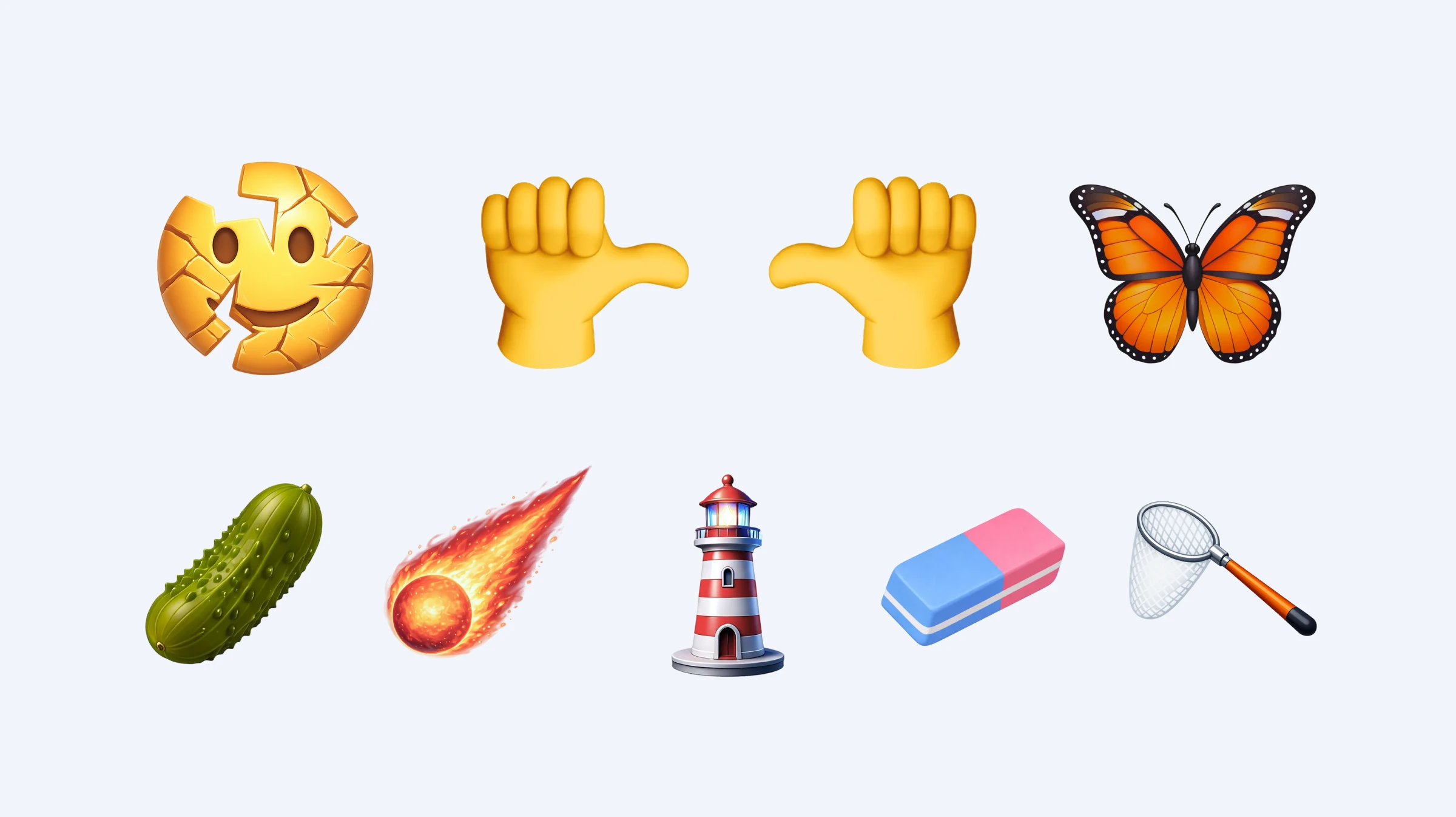

Apple added eight new emoji from the Emoji 17.0 set in iOS 26.4. The update also introduced 155 skin tone options for new and already existing emoji featuring people.
Which Emoji Appeared in the New Version of iOS?
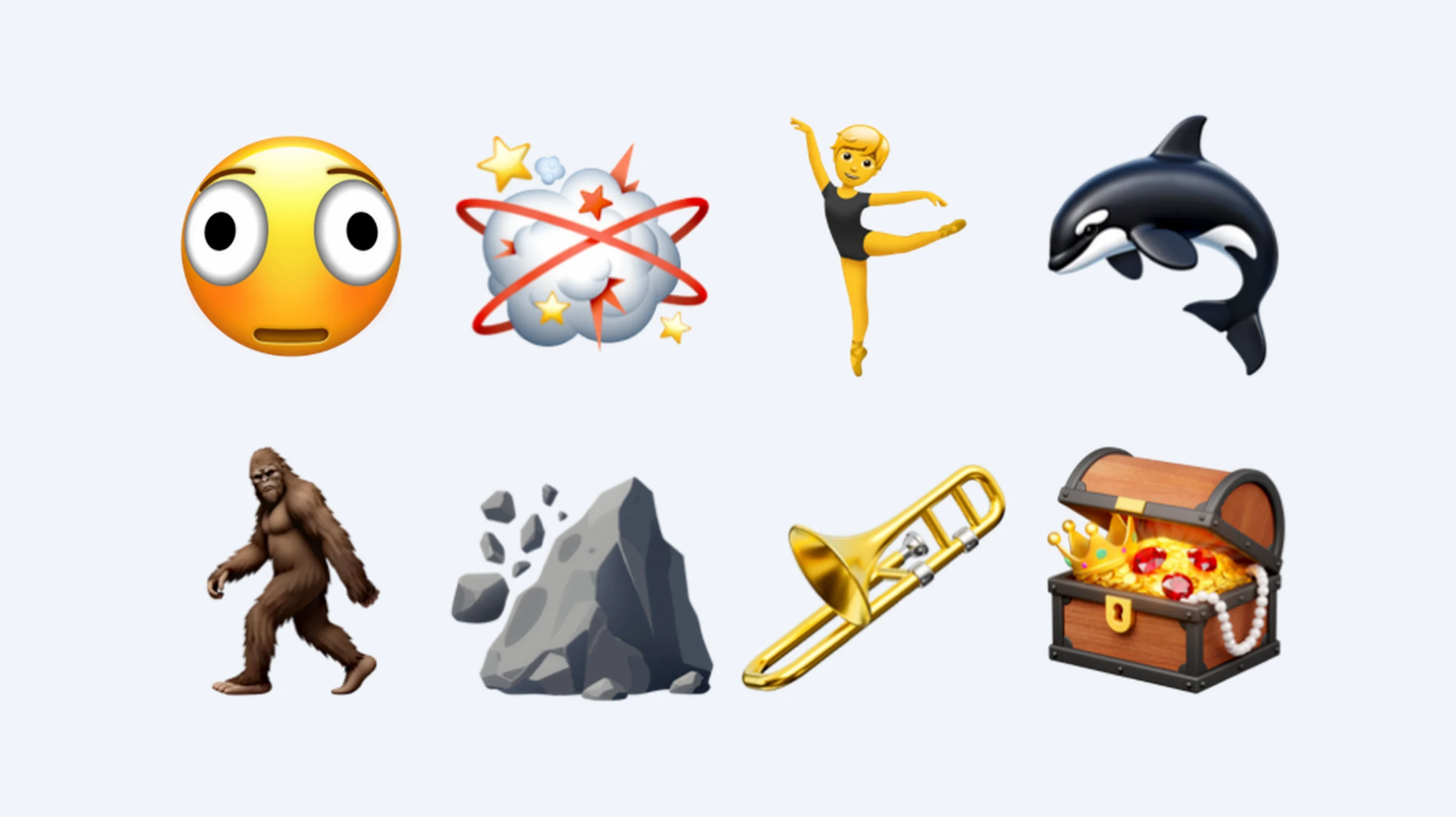
iOS 26.4 includes eight completely new characters from the Emoji 17.0 set. They reached iPhone users with the operating system update in March 2026.
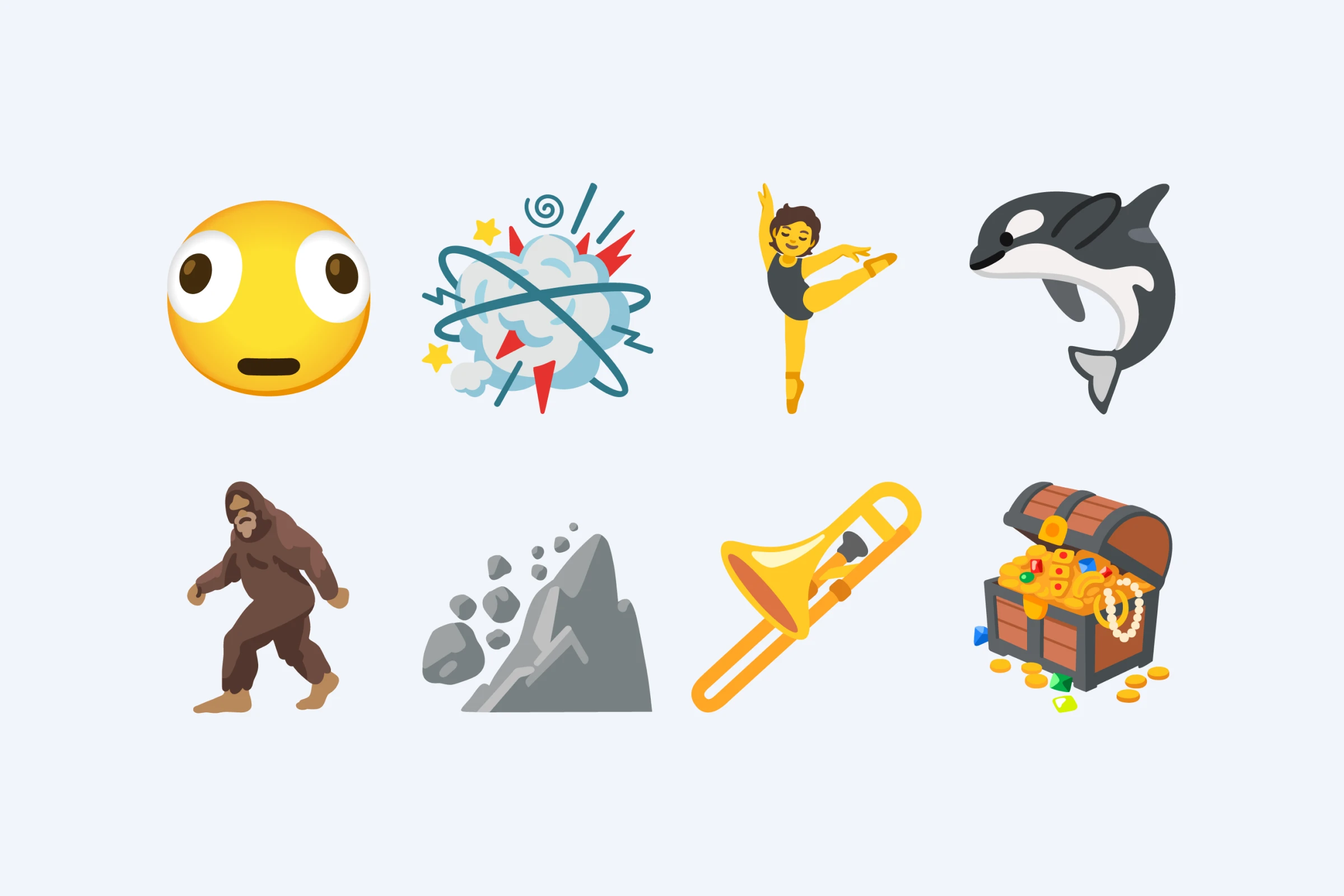
You can now send eight new emoji from the iPhone keyboard:
-
 Distorted Face
-
 Fight Cloud
- Ballet Dancer
-
 Orca
Orca
-
 Hairy Creature
-
 Trombone
-
 Landslide
-
 Treasure Chest
Yes, you can now officially send both Landslide and a comic-style Fight Cloud in a chat. Which, honestly, sounds like a fairly normal day in 2026.
What Apple Changed in Existing Emoji
The new iOS version is not limited to eight new emoji. The update also brought additional skin tone options and small visual changes for emoji that had already been introduced earlier.
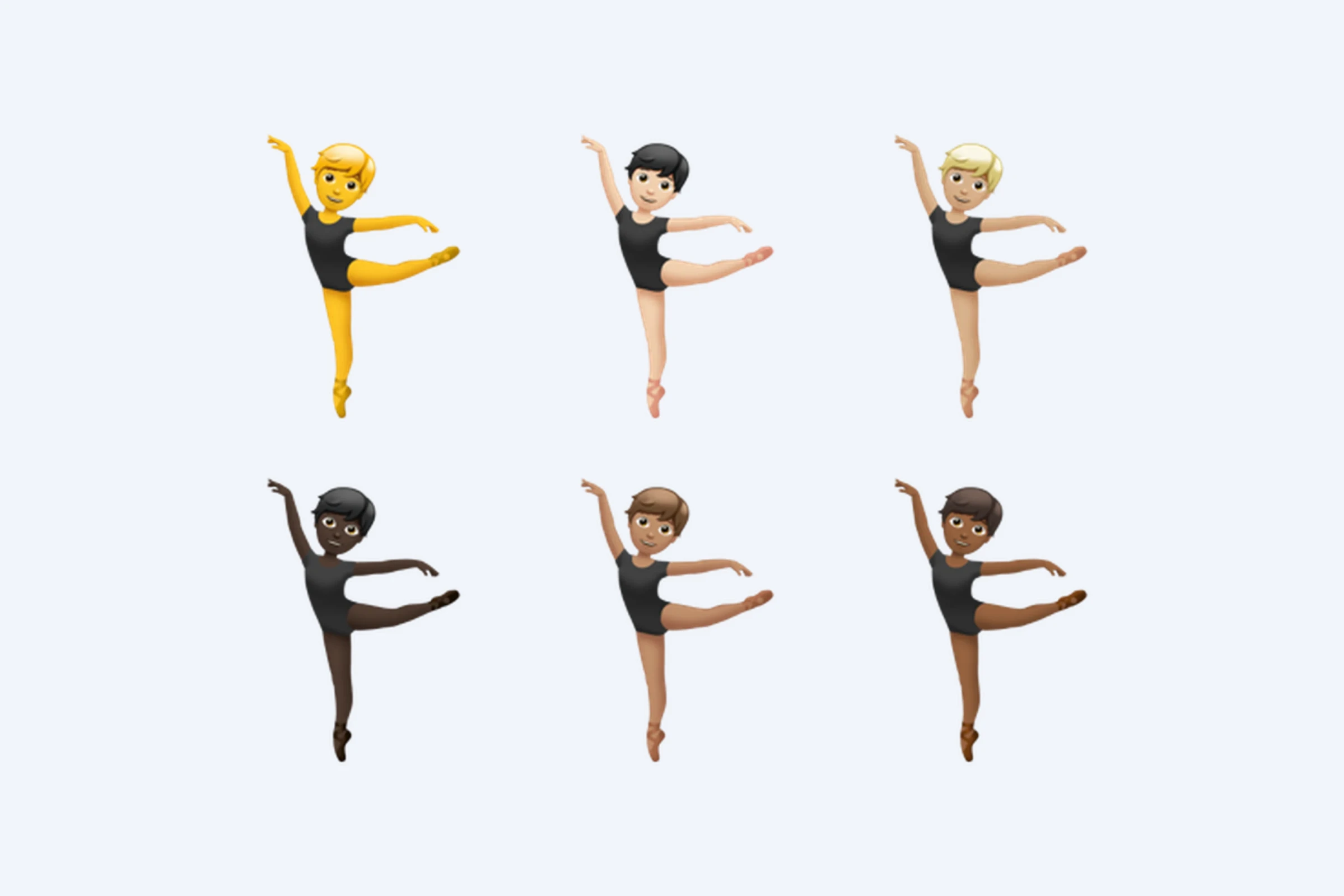
For the Ballet dancer emoji, Apple added five skin tone options in addition to the default image. So the keyboard does not get just one new icon, but a small set of variants for the same character.
Another 150 new skin tone combinations were added for two existing emoji with pairs of people: People Wrestling and People With Bunny Ears. In these emoji, each person can have a separate skin tone, so the number of possible combinations grows very quickly.
Along with the new skin tone combinations, Apple slightly changed the appearance of these two emoji. For the
 People Wrestling
emoji, Apple adjusted the poses and proportions, and removed one of the two stripes from the women’s outfit. For the
People Wrestling
emoji, Apple adjusted the poses and proportions, and removed one of the two stripes from the women’s outfit. For the
 People With Bunny Ears
emoji, the change is even more subtle: Apple slightly adjusted the shadow behind the headband with ears.
People With Bunny Ears
emoji, the change is even more subtle: Apple slightly adjusted the shadow behind the headband with ears.
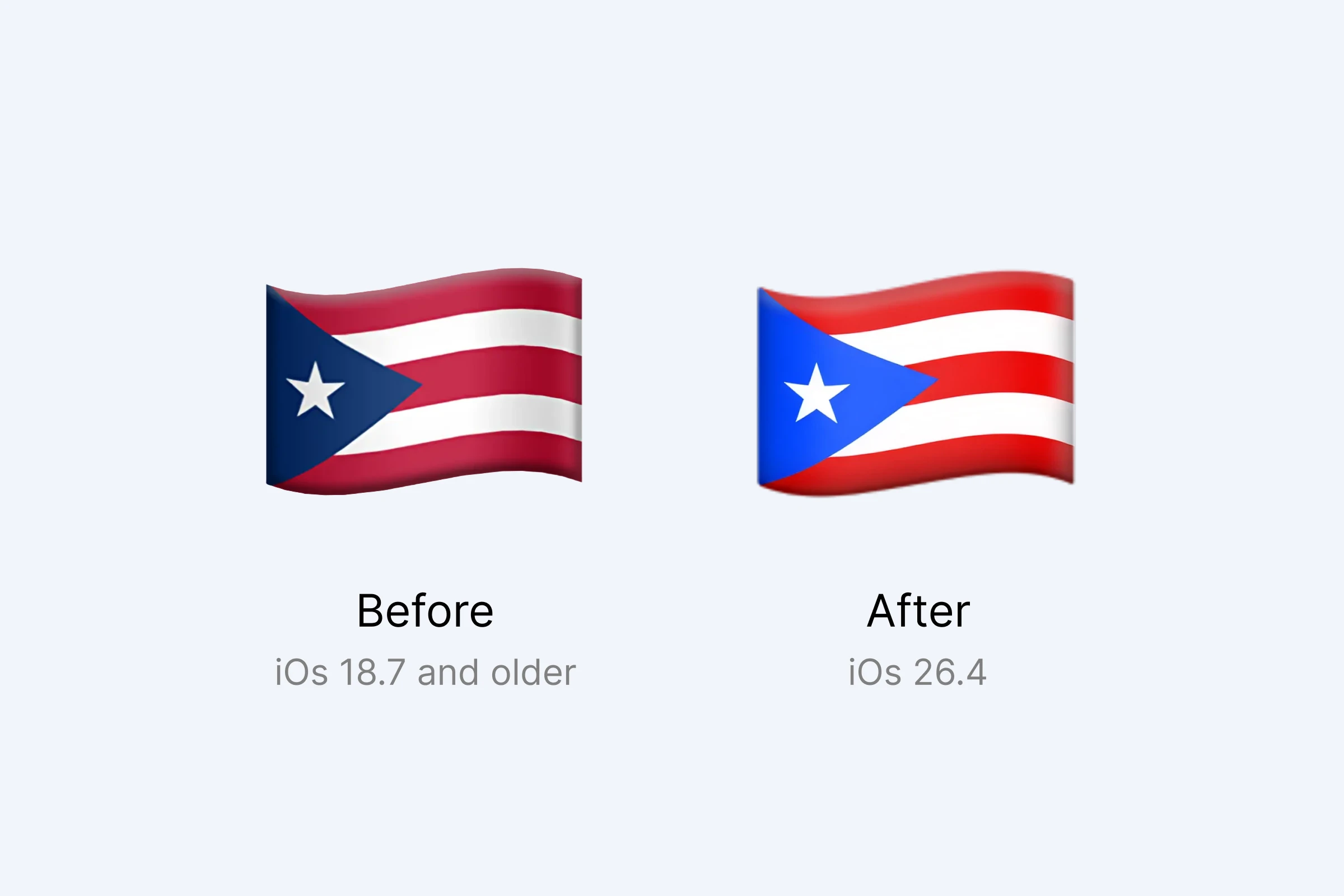
The Puerto Rico flag emoji also received a separate update. Apple made the blue triangle on the left side of the flag lighter. This brings the image closer to the flag’s modern appearance and to the way many other platforms already display it.
How to get the New Emoji on Apple Devices
To see the new characters on the keyboard of your Apple device, you need to update the system to version 26.4 or later. Apple first showed its images on March 9, 2026, in the iOS 26.4 beta, and the public release came out on March 24.
The emoji themselves had been proposed and approved earlier: Unicode officially released the Emoji 17.0 set on September 9, 2025. The Unicode Consortium decides which characters become part of the shared set, but it does not draw them for Apple. That is why new emoji appear on iPhone only after Apple adds system support for the characters and creates its own designs.
Before the update, the system does not recognize the new characters and replaces them with placeholder marks. Instead of the emoji, the user may see an empty square or a question mark in a diamond.
When New Emoji Will Appear on Android and Windows
Google showed its Emoji 17.0 designs back in September 2025 in the Noto Color Emoji set, earlier than Apple. As usual, Apple did not rush and spent almost six months working on its emoji designs.
On Android, support for the new emoji started appearing in late 2025 in Android 16 beta versions. It reaches different devices gradually: the timing depends on the manufacturer, system version, and specific app.
The situation with Windows is less clear. Microsoft has not yet presented a full Fluent design set for Emoji 17.0. As a result, the new characters from this set are not fully supported on Windows yet and are still replaced with placeholders.
New emoji do not appear on every device on the same day. First, the Unicode set is approved. Then Apple, Google, Microsoft, and other platforms draw their own versions, add support to their systems, and gradually deliver updates to users.
So now we wait for support to reach every platform, so people can finally send each other a brand-new Hairy Creature emoji
without technical surprises.